The Gutenberg editor arrives with the new WordPress version 5!
WordPress 4.9.8 also introduced the new Gutenberg editor. Named after the inventor of modern printing – Johannes Gutenberg; it’s meant to make life easier for bloggers and website operators too.
From WordPress version 5.0, Gutenberg replaces the current TinyMCE editor. The Gutenberg editor can be installed and tried out at the push of a button. We tested it for you.
The text editor
First we create a new page and start writing straight away (or add some Lorem Ipsum text). The text editor comes with various elements: heading, quote, verse, preformatted and list. Each with its own uses and formatting.
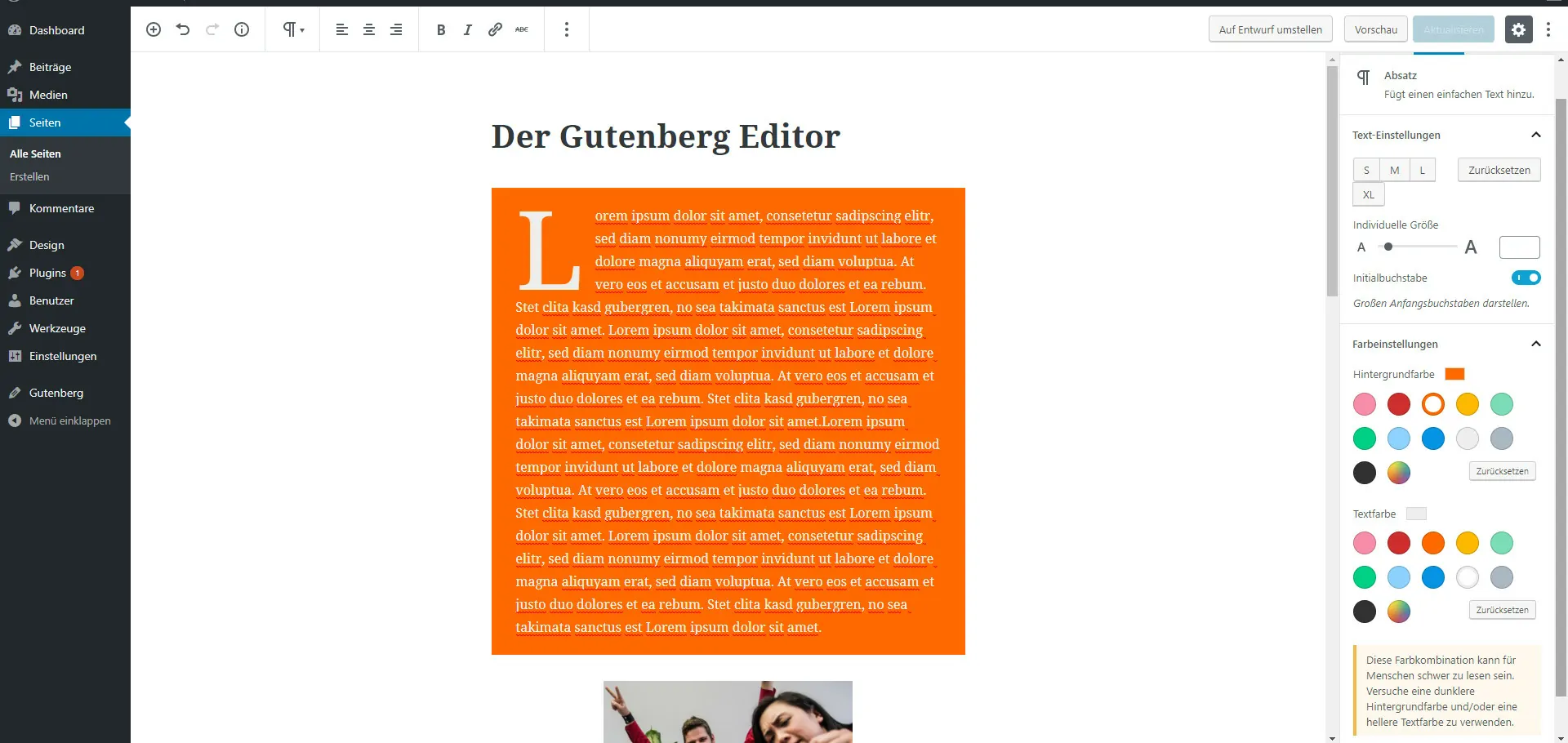
In the settings bar on the right it’s now possible to set the font size as well as text and background colour. The colours can be configured individually, even hexadecimal colours are possible. Optionally, a toggle highlights the drop cap. Nice. Just like the friendly hint telling you whether the text or colour combination is hard to read.
An overview of the Gutenberg editor
Pros
- Every block you create can be extended with additional CSS classes — which simplifies custom styling of the text.
- Tables! Never again fiddly HTML or extra plugins to create a table.
- It’s possible to keep using the old editor.
- Undo button.
- Page statistics: words, paragraphs, blocks and how many of each heading level (H1, H2, H3 …) are used.
- Drag & drop of blocks.
- Spotlight mode — you know exactly which block you’re currently editing.
- Embeds for Instagram, Facebook, YouTube, Spotify etc. (unfortunately not entirely GDPR-compliant).
- Switch from the visual editor to the text editor.
Cons
- Width, padding and margin can only be changed via CSS.
- For some bloggers these features are irrelevant and rather a hindrance to letting their writing creativity flow.
- You first have to get used to the new user interface.
- Incompatibility with some themes and plugins.
- Use on smartphones and tablets is still problematic.