Since 24 May 2022, the new major release of the popular content management system (CMS), WordPress 6, has been available for download. The new version promises many improvements and additions in terms of usability and performance. The focus is primarily on optimisations to full site editing in the Gutenberg editor. What that means, which further new features WordPress 6 brings and whether the new version is useful for you — you’ll find out in this post.
What to expect in this article
Improvements in the Gutenberg editor
Further accessibility optimisations
Conclusion: do you need WordPress 6?
1. Global style switching
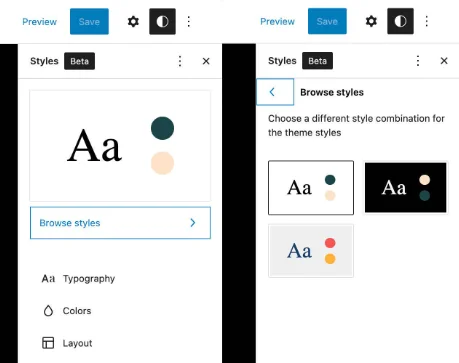
A big novelty in WordPress 6 is the new style system. Themes can now contain multiple style variations, meaning you can customise colours, font styles and other style options individually and save them in different variants. The new style system has the great advantage that the design styles of your entire website can be changed in just one central place. You can change your website’s look without having to switch themes every time. Another plus: you can now export your customised themes, so individualised styles can be transferred to further projects without hassle. But beware: this feature requires an installed WordPress theme that supports full site editing. Here you’ll find a selection of free WordPress full site editing themes.
2. New blocks and block patterns
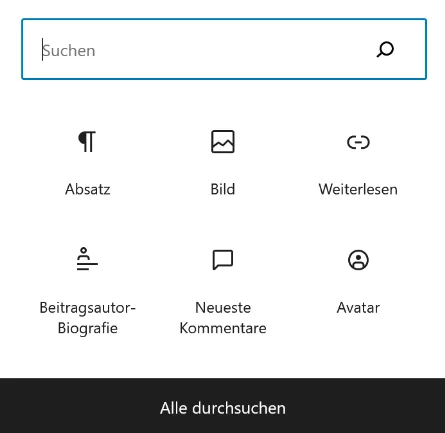
The other big additions include five new blocks that allow more design freedom.
- Comments: With this block, comments can be embedded easily and every row can be customised individually (e.g. avatar, headings, comment rows).
- Read more: WordPress 6 lets you insert a read-more button. It’s particularly suited to longer texts and blogs, as it brings more structure to your writing while building suspense. The read-more button can also be customised.
- Avatar: The avatar block simplifies displaying the author on the page. You can choose whether it applies to an author you select or automatically to the person behind the respective post.
- Author biography: This block lets you create a short biography of the author and display it on the page. The displayed author details can be styled individually.
- Query loop blocks: Queries can now be filtered by multiple authors and custom taxonomies. You can also add a “no results found” block inside the query loop for when a search query returns nothing. This feature helps track down potential problems faster.
3. Webfonts API
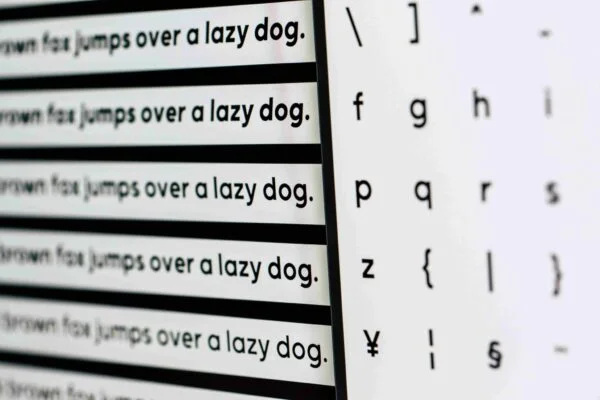
From WordPress 6, fonts can be embedded via the new WordPress Webfonts API. That means fonts are no longer loaded via custom CSS but can be registered through the theme.json file. This change enables better performance and a privacy-compliant embedding of fonts. Read here how to add your fonts with WordPress 6 and the Web Fonts API.
4. Improvements in the Gutenberg editor
A quick recap: what is the Gutenberg editor anyway?
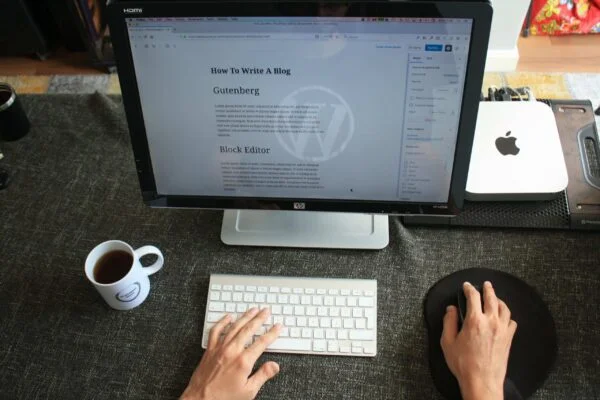
The Gutenberg editor isn’t a new WordPress 6 feature. It was already released with the previous version, WordPress 5. The Gutenberg editor aims to simplify editing WordPress websites. With image, text and other blocks, elements can be arranged flexibly. The Gutenberg editor is still a plugin in WordPress 6, but it’s set to become a permanent part of the WordPress core in future.
- Copy text across multiple blocks
- Retain styles
- Lock blocks
- More design freedom with responsive group and row blocks
- Insert internal links faster
5. Further accessibility optimisations
Accessibility is an essential topic on the web. In total, WordPress has implemented 51 new optimisations for accessibility in the new release.
For example, WordPress now automatically adds alt descriptions for the featured image, drawing on the corresponding page title. Alt descriptions are used by assistive software for people with visual impairments to describe images more clearly. Likewise, icons in the block editor now carry the appropriate description so they can be interpreted by assistive tools. The complete list of accessibility changes can be found here
6. Conclusion: do you need WordPress 6?
WordPress 6 is the latest release of the popular CMS. The many new features make the new version very interesting, as it simplifies several workflows. But other factors also speak for updating to WordPress 6. As with the previous version, updates are indispensable to keep security gaps as small as possible.
Another reason is performance. Over time, older versions age and the website’s loading speed suffers considerably. Moreover, in WordPress 6 many scripts, CSS files and other elements no longer need to be loaded separately — a significant advantage over WordPress 5.
Tip: Planning to switch to WordPress 6? Don’t forget to make a backup of your website first. In an emergency you can then fall back on your old version.
Fun fact: WordPress 6.0 carries the codename “Arturo”. The content management system thus stays true to its tradition of naming releases after famous jazz musicians. In this case they honour Arturo O’Farrill, a multi-award-winning jazz pianist and leader of the Afro Latin Jazz Orchestra.